need advice and help for a possible fix
 18-11-2015, 18:20
|
#16
|
|
Inactive
Join Date: Jun 2015
Posts: 68
|
Re: need advice and help for a possible fix
dear Mud Wizard,
yes they are both connected at the same time.
probably this will help:

---------- Post added at 19:20 ---------- Previous post was at 19:05 ----------
Your BQM graph looks good after the initial red packet loss, which I assume is where you rebooted your Superhub? As you didn't leave it going long enough before rebooting it's difficult to tell what it was like before.
Is your connection any better now?
lol its actually worse!
------------------------------------------------------------------------------------------------------------------------------
You can run a continuous ping by inserting a -t option before or after the ping address.
Anyway, the data you provided (along with the good BQM) implies that the high latency problem is from your computer to the Superhub (not with the VM network). i.e. with the wifi or powerline. You need to test again without wifi involved to see how the powerline on its own performs.
While the high latency is most likely due to wifi interference, have you checked to see if the two powerlines are also interferring with each other? i.e. Tested with one of them off.
Also resetting the powerline before testing might be a good idea, as you said when you did that previously things improved?
my BT powerline does not have wifi capability. it only supports ethernet connection. so, one BT thingy is connected to superhub by ethernet cable, then itself is plugged to electric socket, the other is connected to electric socket in my room and is connected to my pc with ethernet cable. it simply does not have wifi.
the cmd pic was for BT ethernet connection only.
btw, i have a PCI-E wifi card which i use for wifi connection.
http://www.tp-link.com/en/products/d...L-WN881ND.html
and im using this as antenna:
http://www.maplin.co.uk/p/ultra-gain...-antenna-a28jb
------------------------------------------------------------------------------------------------------------------------------
Surely with this being a serious internet issue you can find some time to test when they are not using it? Only takes a few minutes.
could you kindly tell me how to do the test please?
------------------------------------------------------------------------------------------------------------------------------
Does your BT powerline adapter have an ethernet port (e.g. on the top) that you can plug your computer directly into without disturbing your house mates? You need to take wifi out of the equation for testing.
yes, as i said above, it does not have wifi abilities, it only use electric socket as a bridge for ethernet connection ^^
|

|

|
|
18-11-2015, 19:13
|
#17
|
|
Inactive
Join Date: May 2013
Posts: 382
|
Re: need advice and help for a possible fix
Quote:
Originally Posted by Deathcrush87

[/COLOR]
Is your connection any better now?
lol its actually worse!
|
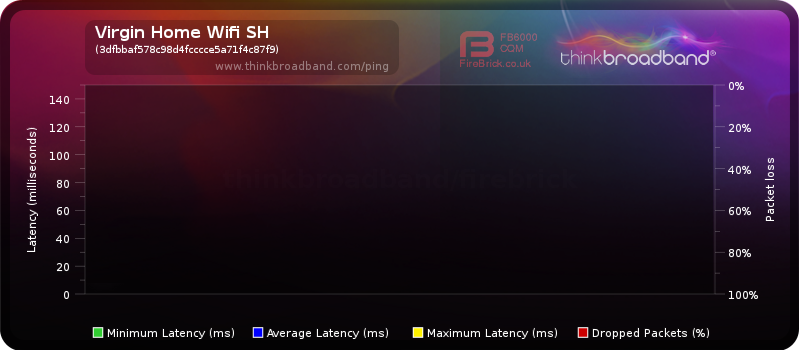
Well since the BQM monitors the latency from the Superhub to Thinkbroadband.com over the VM network and then the internet (excluding wifi or powerline), it shows that your VM connection hasn't gotten any worse.
Average latency (blue) of 10-12ms is very good.
Maximum latency (yellow) is also looking very good.
Your graph:
My graph:
So VM were probably correct when they said the issue looks NOT to be on their side.
Quote:
Originally Posted by Deathcrush87
my BT powerline does not have wifi capability. it only supports ethernet connection. so, one BT thingy is connected to superhub by ethernet cable, then itself is plugged to electric socket, the other is connected to electric socket in my room and is connected to my pc with ethernet cable. it simply does not have wifi.
the cmd pic was for BT ethernet connection only.
|
Since your tests suggest that the latency problem is solely with your BT powerline adapter, or the ethernet cable either end:
- Have you tried swapping the ethernet cables?
- Have you tried using your room mates powerline adapter briefly instead of yours?
- Does your room mate also have the same issues with his Netgear powerline?
- Is your electrical circuit going through a circuit breaker which is affecting both powerline adapters negatively?
You need to work through the possibilities one by one and rule them out, until you find the cause.
|
|
|
|
|
18-11-2015, 23:26
|
#18
|
|
Inactive
Join Date: Jun 2015
Posts: 68
|
Re: need advice and help for a possible fix
Many thanx again for your help ^^
- Have you tried swapping the ethernet cables?
you mean between two BT thingies? i will do that.
- Have you tried using your room mates powerline adapter briefly instead of yours?
no one but me uses powerline adapters, like the BT one.
- Does your room mate also have the same issues with his Netgear powerline?
my next door room mate - who is the only other gamer at our house - uses a wifi USB dongle. oddly enough his internet is more stable than mine, but he suffers from severe lag too. he constantly complains about the internet, and his internet has disconnection issues as well. he mostly connects to superhub's wifi. the netgear's wifi is alot slower, but it provides wifi coverage for other roommates who can not connect to superhub's wifi directly as of their rooms' positioning or older devices. let me tell you this, the Netgear wifi powerline is located in the hallway and no one uses ethernet connection to it. its solely for wifi coverage.
- Is your electrical circuit going through a circuit breaker which is affecting both powerline adapters negatively?
i have no idea. how can i know? you see, if i lost my lights in my room as of the circuit breaker, i would still have the power running through my sockets. does that help?
---------- Post added at 20:39 ---------- Previous post was at 20:32 ----------
update:
there are some severe spikes in the BQM monitor. thats when i played a round of Battlefield Hardline. had lag spikes alot. so, all those normal graphs were for the time i was not doing anything demanding with my pc, simply reading some articles, doing some skype etc.. no downloading, nothing.
---------- Post added at 22:32 ---------- Previous post was at 20:39 ----------
update 2:
finally got to play some Black Ops 3. for a few rounds my connection through wifi was perfect, until just now that severe lags started. would defo show on the graph too.
---------- Post added at 23:43 ---------- Previous post was at 22:32 ----------
Battlefield Hardline round. rounds duration, time when the round ended and local time are marked. please note, the round's end time is approximate, however it matches the time of the spikes on the graph.

---------- Post added 19-11-2015 at 00:26 ---------- Previous post was 18-11-2015 at 23:43 ----------
ok, a video of when the lag started in game (BO3). lag starts at 3:15.
https://youtu.be/iocy4G3hhx8
|
|
|
|
|
19-11-2015, 18:30
|
#19
|
|
Inactive
Join Date: Jun 2015
Posts: 68
|
Re: need advice and help for a possible fix
bump..
|
|
|
|
|
19-11-2015, 22:27
|
#20
|
|
Inactive
Join Date: Jun 2015
Posts: 68
|
Re: need advice and help for a possible fix
anyone?
|
|
|
|
|
20-11-2015, 10:48
|
#21
|
|
cf.mega poster
Join Date: Aug 2004
Posts: 11,207
|
Re: need advice and help for a possible fix
Stop using powerline extenders.
|
|
|
|
|
20-11-2015, 11:03
|
#22
|
|
cf.mega poster
Join Date: Nov 2008
Location: Lincoln
Services: phone + 1gbit BB + SkyQ
Posts: 11,021
|
Re: need advice and help for a possible fix
that is what I was going to say and couldn't be bothered. I don't like repeating myself and I was going to chop out previous bits I have said and I can't even be bothered to do that either so I'll just do the whole thing:
Quote:
Originally Posted by General Maximus
3 problems dude:
1) shub1
2) wifi on shub1
3) powerlines
For starters shub1 is all round pants and I wouldn't expect it to handle traffic to seven devices simultaneously with any degree of competency. Secondly the wifi is absolutely diabolical on shub1 and I would honestly just rule out using it full stop. Thirdly, powerline adapters are very flaky. Wireless is variable anyway with regards to interference between yourself and the router/extender but then there is also interference on your electrical circuit which can completely kill your connection between the adapter/extender to the router. The fact that your laptop/pc is saying connection is limited means your connection to the router is dropping.
There is no easy to fix this if you are living in student accommodation and renting. For starters I would do two things.
1) Take a laptop downstairs and directly connect to the shub through one of the ethernet ports on the back with a patch cable and run some speedtests. If this works and your connection remains stable then you know it is the wireless which is letting you down.
2) If that fails I would put the shub in modem mode which will kick everyone else off the network and try the wired test again. The laptop/pc connected to the shub will be the only device with internet access.
In an ideal world the following would solve all your problems: put the shub in modem mode and buy a proper router like this. It absolutely kicks ass and wouldn't have a heart attack like the shub does when lots of people want to use the internet at the same time. The wireless range would be significantly better and go a long way to improve your current situation. To make things perfect I would either run some patch cables from the router under the carpet to rooms around the house in order to provide direct wired connections or as a minimum one cable upstairs to a second router which can serve as a wireless access point and further extend the range and signal throughout the house.
It is worth thinking about. If you are there for the rest of the academic year it would work out around £20 each for you and your pals for either option and from a cost/benefit point of view I think it is money well spent and if you can prove it works perfectly (which it will) then you might be able to convince your landlord to reimburse you at the end of the year. Tbh though, for the amount of time I spend on the internet and playing games I would be happy to cough up the dosh myself. |
|
|
|
|
|
20-11-2015, 11:40
|
#23
|
|
Inactive
Join Date: Sep 2008
Posts: 96
|
 Re: need advice and help for a possible fix
hes using a superhub1 (in WIFI router mode) with several others! 
SuperHub2AC or EA6700 ..... job done! 
|
|
|
|
|
20-11-2015, 12:32
|
#24
|
|
Sad Doig Fan!
Join Date: Aug 2007
Location: Barry South Wales
Age: 69
Services: With VM for BB 250Mb service.(Deal)
Posts: 11,845
|
Re: need advice and help for a possible fix
Or just run an ethernet from the ap on the lower floor.
|
|
|
|
|
20-11-2015, 13:12
|
#25
|
|
cf.mega poster
Join Date: Nov 2008
Location: Lincoln
Services: phone + 1gbit BB + SkyQ
Posts: 11,021
|
Re: need advice and help for a possible fix
Quote:
Originally Posted by SimonB79
SuperHub2AC or EA6700 ..... job done! |
said that
Quote:
Originally Posted by pip08456
Or just run an ethernet from the ap on the lower floor.
|
said that as well
it all falls on deaf ears
|
|
|
|
|
20-11-2015, 13:56
|
#26
|
|
Inactive
Join Date: Jun 2015
Posts: 68
|
Re: need advice and help for a possible fix
Dear General Maximus,
thanx for your reply.
as i explained, VM has not been keen in replacing our SH1. what can i do????
what i got from ppl here are really confusing.
Mud Wizard kindly suggested that the problem was not on the VM's side, as the graph was normal.
then the graph showed insane spikes, and i am not sure now, if its the VM's fault or not.
i am constantly switching between my BT powerline and Wifi to get the best results, more or less they are the same.
what no one could explain to me here is that why my internet was running perfectly fine last night, as i could play BO3 for hours using wifi connection with no lags, and the night before that i could not even play one match as my ping was through the roof.
what is not explained, is that why sometimes loading simple website takes so much time, like im using a dial up connection, and the next minute it loads up the same page super fast.
stop using powerline? ok, its disconnected now, and no one is home, but why my internet is slow just right now?
as i explained, VM says the same BS every time i contact them;
1 - that only the landlord can ask for a new SuperHub, not me
2 - and that a new SuperHub will not make any differences
what shall i do??
does raging over the phone fix my internet?
---------- Post added at 14:23 ---------- Previous post was at 14:20 ----------
just take a look at the graph below, does it look normal to you at all?
---------- Post added at 14:25 ---------- Previous post was at 14:23 ----------
---------- Post added at 14:26 ---------- Previous post was at 14:25 ----------

---------- Post added at 14:56 ---------- Previous post was at 14:26 ----------
things i would like to know;
1 - if VM deliberately is not providing the services or the quality they supposed to provide
2 - how to force VM to replace our SH1 with the new one
|
|
|
|
|
20-11-2015, 14:18
|
#27
|
|
cf.mega poster
Join Date: Nov 2008
Location: Lincoln
Services: phone + 1gbit BB + SkyQ
Posts: 11,021
|
Re: need advice and help for a possible fix
the only way you are going to get a new shub is by directly connection a pc (which means long patch cable from upstairs if you don't want to move your pc downstairs) because the only test VM will accept is from a single device directly connected to the shub so they can rule our wireless interference and any 3rd party hardware (e.g. if you was using your own router). Using a shub 2 will go a long way towards fixing your problems but I still think there are two of three contributing factors. The other two is wifi and electrical interference through the powerline adapters. All of that would be fixed by either getting a proper router with decent wifi or running patch cables straight to the router for a wired connection, all of which I said in my first post. Getting a new router wont fix the interference between your router and the powerline adapters. If you need want a perfect connection for gaming you need to fix all the problems and not just one.
|
|
|
|
|
20-11-2015, 15:18
|
#28
|
|
Inactive
Join Date: Jun 2015
Posts: 68
|
Re: need advice and help for a possible fix
Quote:
Originally Posted by General Maximus
the only way you are going to get a new shub is by directly connection a pc (which means long patch cable from upstairs if you don't want to move your pc downstairs) because the only test VM will accept is from a single device directly connected to the shub so they can rule our wireless interference and any 3rd party hardware (e.g. if you was using your own router). Using a shub 2 will go a long way towards fixing your problems but I still think there are two of three contributing factors. The other two is wifi and electrical interference through the powerline adapters. All of that would be fixed by either getting a proper router with decent wifi or running patch cables straight to the router for a wired connection, all of which I said in my first post. Getting a new router wont fix the interference between your router and the powerline adapters. If you need want a perfect connection for gaming you need to fix all the problems and not just one.
|
jolly good.
if i pop in Maplin, ans ask for a CATV for say, 30 meters, will that do?
|
|
|
|
|
20-11-2015, 15:33
|
#29
|
|
cf.mega poster
Join Date: Nov 2008
Location: Lincoln
Services: phone + 1gbit BB + SkyQ
Posts: 11,021
|
Re: need advice and help for a possible fix
|
|
|
|
|
20-11-2015, 16:16
|
#30
|
|
Inactive
Join Date: Jun 2015
Posts: 68
|
Re: need advice and help for a possible fix
Quote:
Originally Posted by General Maximus
|
many thanx. i will report back the results.
|
|
|
|
 Posting Rules
|
You may not post new threads
You may not post replies
You may not post attachments
You may not edit your posts
HTML code is Off
|
|
|
All times are GMT. The time now is 07:32.
|

 Join CF
 You are here:





