Forum Articles
  Welcome back Join CF
You are here You are here: Home | Forum | LOL My Broadbandspeed has gone up not

You are currently viewing our boards as a guest which gives you limited access to view most of the discussions, articles and other free features. By joining our Virgin Media community you will have full access to all discussions, be able to view and post threads, communicate privately with other members (PM), respond to polls, upload your own images/photos, and access many other special features. Registration is fast, simple and absolutely free so please join our community today.


Welcome to Cable Forum
Go Back   Cable Forum > Virgin Media Services > Virgin Media Internet Service
Register FAQ Community Calendar

Broadband Quality Monitor stating my router is off
Reply
 
Thread Tools
Old 28-07-2012, 20:33   #1
Blairhoyle
Inactive
 
Join Date: Aug 2011
Location: FK7 area - Scotland
Posts: 334
Blairhoyle is an unknown quantity at this point
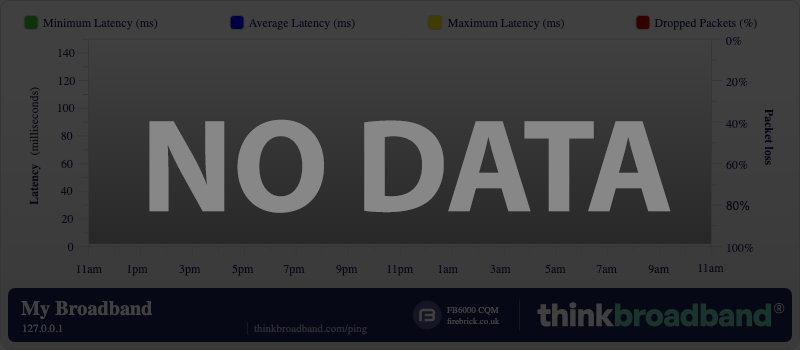
Broadband Quality Monitor stating my router is off

but it isn't.


I reset my graph to see if that would sort the problem but as you can see its reading as if my SH is OFF when it isn't.


After a full day of problems a THREE phone calls to VM who went into my SH and ticked these boxes in my firewall section

IPSec Pass-Through
PPTP Pass-Through
Multicast Pass-Through

All the other boxes in this section are NOT ticked.

My traffic light is now blue after being green for most of the day; I now have 5 locked downstream channels as well.

sorry to be a pain about this.
Blairhoyle is offline   Reply With Quote
Advertisement
Old 28-07-2012, 20:36   #2
Jayster
Inactive
 
Join Date: Mar 2010
Location: Belfast, N.I.
Services: 200/20 SH3, V6 Box
Posts: 499
Jayster is a splendid one to beholdJayster is a splendid one to beholdJayster is a splendid one to beholdJayster is a splendid one to beholdJayster is a splendid one to beholdJayster is a splendid one to beholdJayster is a splendid one to beholdJayster is a splendid one to beholdJayster is a splendid one to behold
Re: Broadband Quality Monitor stating my router is off

Under the tools then the ping option is Respond to ICMP echo requests sent to WAN IP ticked?
Jayster is offline   Reply With Quote
Old 28-07-2012, 20:40   #3
Blairhoyle
Inactive
 
Join Date: Aug 2011
Location: FK7 area - Scotland
Posts: 334
Blairhoyle is an unknown quantity at this point
Re: Broadband Quality Monitor stating my router is off

Quote:
Originally Posted by Jayster View Post
Under the tools then the ping option is Respond to ICMP echo requests sent to WAN IP ticked?
No mate.
Blairhoyle is offline   Reply With Quote
Old 28-07-2012, 20:41   #4
Jayster
Inactive
 
Join Date: Mar 2010
Location: Belfast, N.I.
Services: 200/20 SH3, V6 Box
Posts: 499
Jayster is a splendid one to beholdJayster is a splendid one to beholdJayster is a splendid one to beholdJayster is a splendid one to beholdJayster is a splendid one to beholdJayster is a splendid one to beholdJayster is a splendid one to beholdJayster is a splendid one to beholdJayster is a splendid one to behold
Re: Broadband Quality Monitor stating my router is off

Quote:
Originally Posted by Blairhoyle View Post
No mate.
You need to have that turned on if you want the superhub to respond to ping requests.
Jayster is offline   Reply With Quote
Old 28-07-2012, 20:43   #5
Blairhoyle
Inactive
 
Join Date: Aug 2011
Location: FK7 area - Scotland
Posts: 334
Blairhoyle is an unknown quantity at this point
Re: Broadband Quality Monitor stating my router is off

Quote:
Originally Posted by Jayster View Post
You need to have that turned on if you want the superhub to respond to ping requests.
that won't *******s it up again will it?

today has been criminal with the issues of disconnecting then reconnecting etc.

Green traffic light which results in only one locked downstream channel.
Blairhoyle is offline   Reply With Quote
Old 28-07-2012, 20:45   #6
Jayster
Inactive
 
Join Date: Mar 2010
Location: Belfast, N.I.
Services: 200/20 SH3, V6 Box
Posts: 499
Jayster is a splendid one to beholdJayster is a splendid one to beholdJayster is a splendid one to beholdJayster is a splendid one to beholdJayster is a splendid one to beholdJayster is a splendid one to beholdJayster is a splendid one to beholdJayster is a splendid one to beholdJayster is a splendid one to behold
Re: Broadband Quality Monitor stating my router is off

Quote:
Originally Posted by Blairhoyle View Post
that won't *******s it up again will it?

today has been criminal with the issues of disconnecting then reconnecting etc.

Green traffic light which results in only one locked downstream channel.
It shouldn't make a difference to your connection but I dont have much experience with the SH, mines on with no problems.

Your problem with disconnections sounds more like your power levels being out.
Jayster is offline   Reply With Quote
Old 28-07-2012, 20:46   #7
Blairhoyle
Inactive
 
Join Date: Aug 2011
Location: FK7 area - Scotland
Posts: 334
Blairhoyle is an unknown quantity at this point
Re: Broadband Quality Monitor stating my router is off

Quote:
Originally Posted by Jayster View Post
It shouldn't make a difference to your connection but I dont have much experience with the SH, mines on with no problems.

Your problem with disconnections sounds more like your power levels being out.
here are my current readings


Downstream Channels Lock Status Channel ID Frequency Modulation Rx Power SNR Pre RS Errors Post RS Errors
Locked 54 315000000 Hz QAM256 -3.4 dBmV 39.9 dB 40540 8628
Locked 49 291000000 Hz QAM256 -3.5 dBmV 39.8 dB 13747 12297
Locked 50 299000000 Hz QAM256 -3.2 dBmV 39.5 dB 39814 34323
Locked 53 307000000 Hz QAM256 -3.7 dBmV 39.5 dB 79364 46562
Locked 55 323000000 Hz QAM256 -3.3 dBmV 40.3 dB 51737 6146
Unlocked Unknown 0 Hz Unknown 0.0 dBmV 0.0 dB Unknown Unknown
Upstream Channels Lock Status Channel ID Frequency Modulation Tx Power Mode Channel Bandwidth Symbol Rate
Locked 4 35800000 Hz ATDMA 46.3 dBmV 16QAM 6400000 20480 Kbits/sec
Unlocked 0 0 Hz Unknown 0.0 dBmV Unknown Unknown 0 Kbits/sec

Blairhoyle is offline   Reply With Quote
Old 28-07-2012, 20:52   #8
Jayster
Inactive
 
Join Date: Mar 2010
Location: Belfast, N.I.
Services: 200/20 SH3, V6 Box
Posts: 499
Jayster is a splendid one to beholdJayster is a splendid one to beholdJayster is a splendid one to beholdJayster is a splendid one to beholdJayster is a splendid one to beholdJayster is a splendid one to beholdJayster is a splendid one to beholdJayster is a splendid one to beholdJayster is a splendid one to behold
Re: Broadband Quality Monitor stating my router is off

To me your downstream power looks a little low but not extremely low, however your Post RS errors seem to be somewhat high compared to mine however as I dont have much experience with the SH I am not entirely sure what they are.

If you go onto the login screen of the SH and on the top right the router status option, if you go in there and goto upstream are you getting many t3 timeouts?
Jayster is offline   Reply With Quote
Old 28-07-2012, 20:55   #9
Blairhoyle
Inactive
 
Join Date: Aug 2011
Location: FK7 area - Scotland
Posts: 334
Blairhoyle is an unknown quantity at this point
Re: Broadband Quality Monitor stating my router is off

Upstream US-1 US-2 US-3 US-4
Channel Type 2.0 N/A N/A N/A
Channel ID 4 N/A N/A N/A
Frequency (Hz) 35800000 Hz N/A N/A N/A
Ranging Status Success N/A N/A N/A
Modulation QAM16 N/A N/A N/A
Symbol Rate (Sym/sec) 5120000 N/A N/A N/A
Mini-Slot Size 128 N/A N/A N/A
Power Level (dBmV) 46.3 dBmV N/A N/A N/A
T1 Timeouts 0 N/A N/A N/A
T2 Timeouts 0 N/A N/A N/A
T3 Timeouts 0 N/A N/A N/A
T4 Timeouts 0 N/A N/A N/A
Blairhoyle is offline   Reply With Quote
Reply


Posting Rules
You may not post new threads
You may not post replies
You may not post attachments
You may not edit your posts

BB code is On
Smilies are On
[IMG] code is On
HTML code is Off

Forum Jump


All times are GMT +1. The time now is 00:58.


Server: osmium.zmnt.uk
Powered by vBulletin® Version 3.8.11
Copyright ©2000 - 2026, vBulletin Solutions Inc.
All Posts and Content are © Cable Forum